All Projects

Role

Product designer

Date

September, 2025

Stockmasta
Stockmasta
Stockmasta

A mobile-first inventory & sales tool for local vendors

I designed Stockmasta, a lightweight inventory and sales management tool, for small vendors in Nigeria and similar markets. Many of these businesses run their daily operations with notebooks, memory, or scattered spreadsheets. They often lose track of what’s in stock, can’t easily see who owes them money, and have no simple way to generate or share invoices.


My role was to design an MVP that solves these problems in a simple, mobile-first way. I worked through research, concept development, UX flows, prototyping, and usability validation.

From our initial conversations with shop owners and field visits, I noticed three recurring pain points:


  1. Uncertainty about reordering: Owners only realize they’re out of stock when a customer asks.

  2. Cumbersome sales tracking: Recording daily sales in notebooks or WhatsApp messages makes it hard to track performance.

  3. No easy invoice process: Paper invoices are slow and not easily shareable or stored.


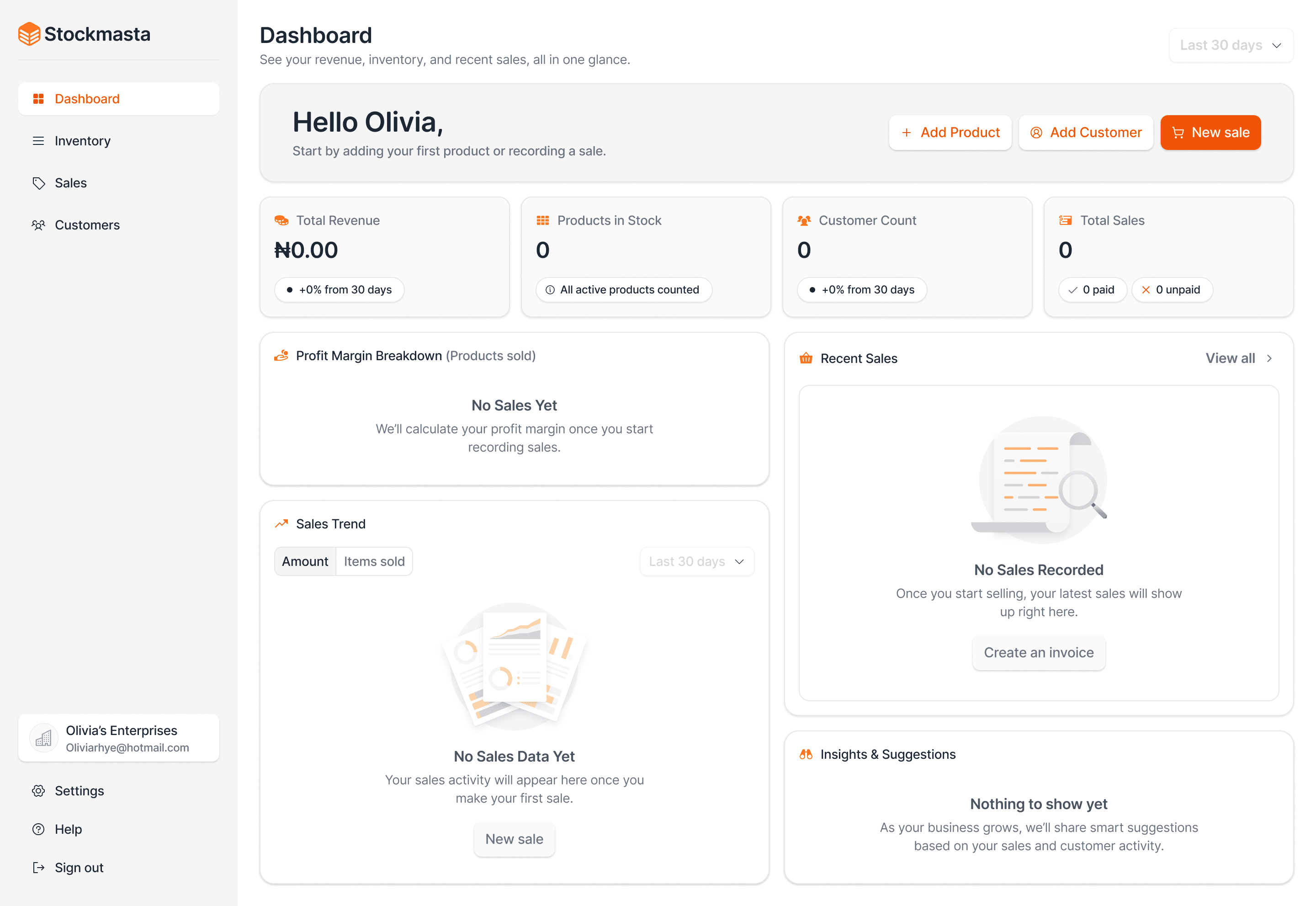
I saw an opportunity to design a tool that matches their real workflows: adding products quickly, tracking stock levels, recording sales (with multiple items), and optionally generating a shareable invoice , all optimized for mobile.

From our initial conversations with shop owners and field visits, I noticed three recurring pain points:


  1. Uncertainty about reordering: Owners only realize they’re out of stock when a customer asks.

  2. Cumbersome sales tracking: Recording daily sales in notebooks or WhatsApp messages makes it hard to track performance.

  3. No easy invoice process: Paper invoices are slow and not easily shareable or stored.


I saw an opportunity to design a tool that matches their real workflows: adding products quickly, tracking stock levels, recording sales (with multiple items), and optionally generating a shareable invoice , all optimized for mobile.

From our initial conversations with shop owners and field visits, I noticed three recurring pain points:


  1. Uncertainty about reordering: Owners only realize they’re out of stock when a customer asks.

  2. Cumbersome sales tracking: Recording daily sales in notebooks or WhatsApp messages makes it hard to track performance.

  3. No easy invoice process: Paper invoices are slow and not easily shareable or stored.


I saw an opportunity to design a tool that matches their real workflows: adding products quickly, tracking stock levels, recording sales (with multiple items), and optionally generating a shareable invoice , all optimized for mobile.

Problem & Opportunity

Problem & Opportunity

Problem & Opportunity

Research & Insights

Research & Insights

Research & Insights

We interviewed local gadget resellers and observed how they manage stock and customers. A few insights stood out:


  • Vendors wanted speed and predictability more than advanced features.

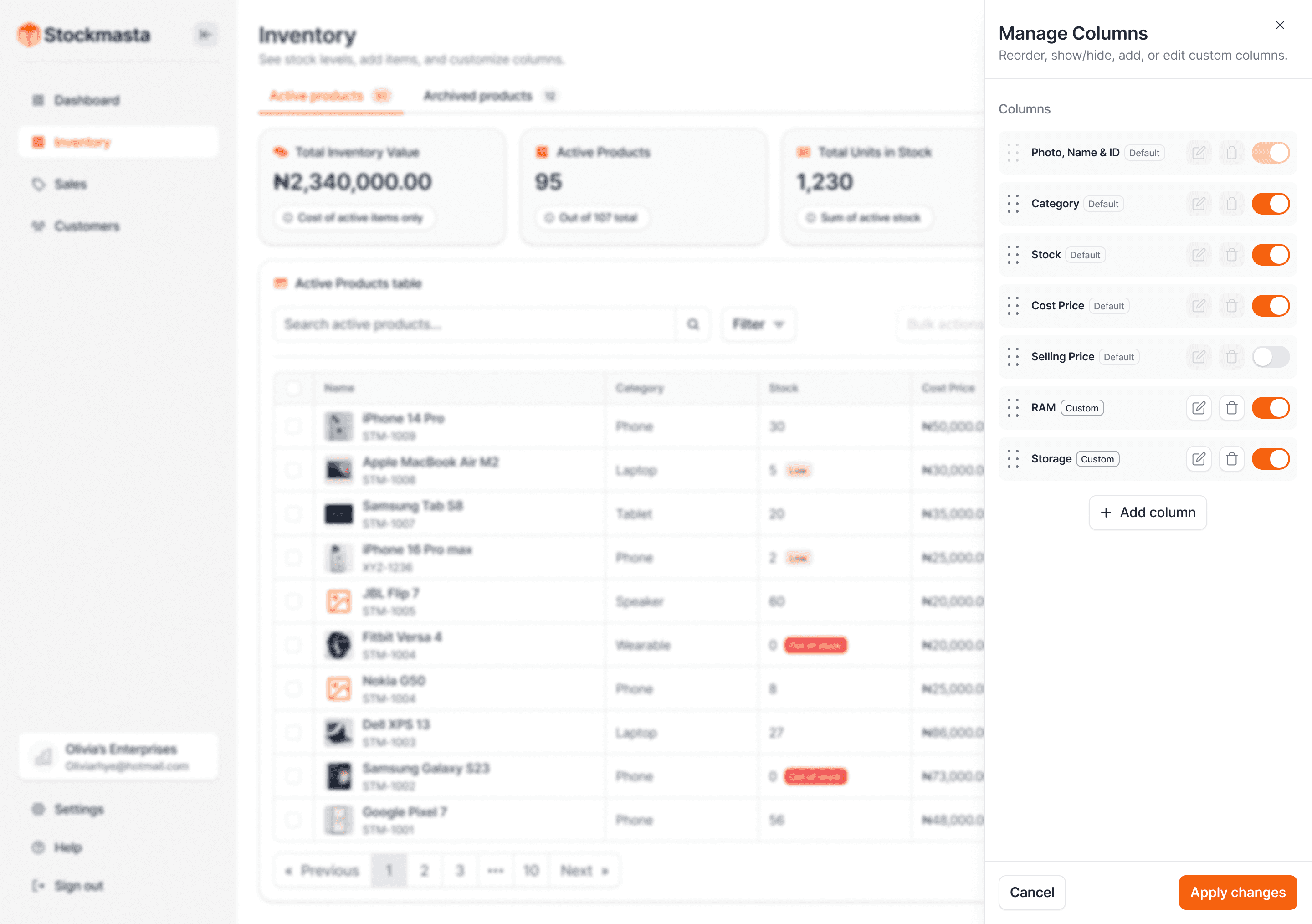
  • Many products required category-specific details (like RAM, storage, or battery capacity). They wanted these visible in tables and searchable.

  • Sales often involve multiple products to one customer. Owners sometimes want an invoice, but not always — which meant the system should always create an invoice in the background, but make sharing optional.

  • Mobile phones are the primary device for running the business, so the design needed to be mobile-first and clutter-free.

We interviewed local gadget resellers and observed how they manage stock and customers. A few insights stood out:


  • Vendors wanted speed and predictability more than advanced features.

  • Many products required category-specific details (like RAM, storage, or battery capacity). They wanted these visible in tables and searchable.

  • Sales often involve multiple products to one customer. Owners sometimes want an invoice, but not always — which meant the system should always create an invoice in the background, but make sharing optional.

  • Mobile phones are the primary device for running the business, so the design needed to be mobile-first and clutter-free.

We interviewed local gadget resellers and observed how they manage stock and customers. A few insights stood out:


  • Vendors wanted speed and predictability more than advanced features.

  • Many products required category-specific details (like RAM, storage, or battery capacity). They wanted these visible in tables and searchable.

  • Sales often involve multiple products to one customer. Owners sometimes want an invoice, but not always — which meant the system should always create an invoice in the background, but make sharing optional.

  • Mobile phones are the primary device for running the business, so the design needed to be mobile-first and clutter-free.

I approached the problem using design thinking: empathize, define, ideate, prototype, and test.


  • I removed friction by eliminating SKU as a required field and letting the system generate unique product IDs.

  • I created custom fields and columns so vendors could track details that matter in their context (like RAM, color, or capacity). These fields supported data types (text, number, dropdown) with optional prefixes/suffixes.

  • I designed a unified sale flow where recording a sale automatically generated an invoice. The vendor could then choose to share it via WhatsApp, email, or download as PDF.

  • I built in bulk actions (like adjusting stock, switching statuses, or archiving products) to save time for larger inventories.

  • I included a team feature, where owners could invite up to 3 staff members with defined roles (Owner, Manager, Cashier).
Design Approach

Design Approach

Design Approach

Key UX Flows

Add Product: A streamlined form with photo, name, category, description, quantity, cost, price, and optional custom fields. A product ID is auto-generated.


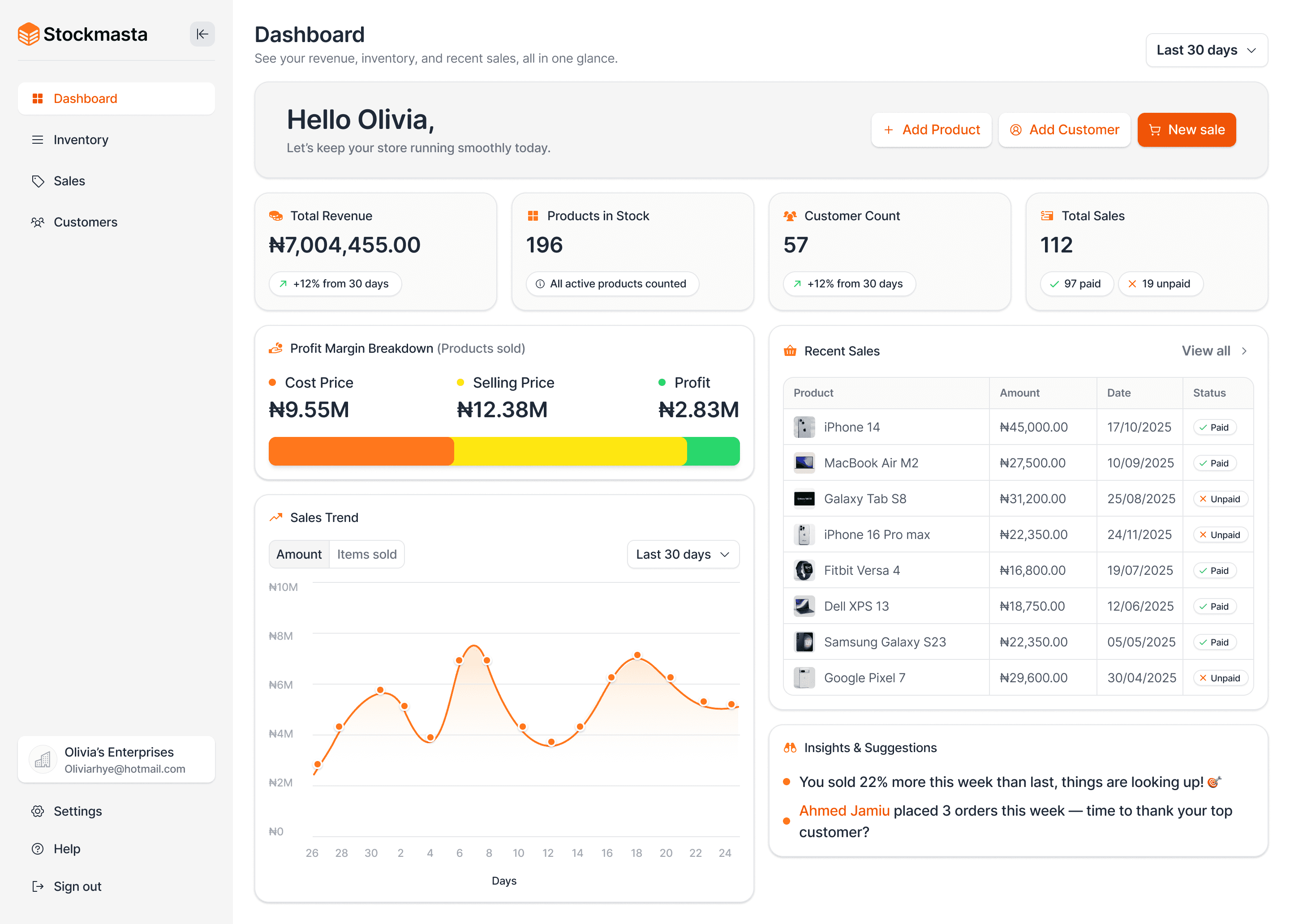
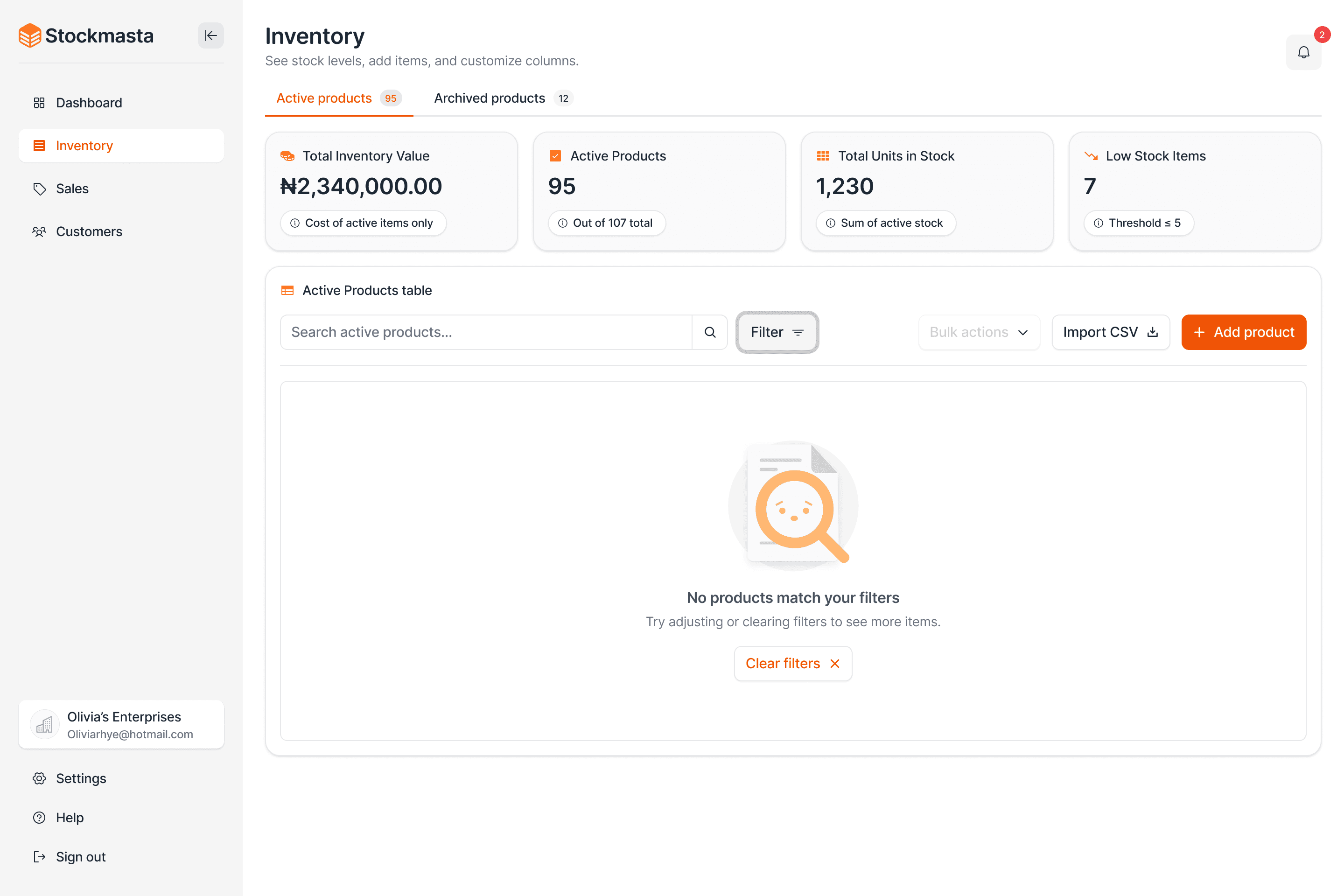
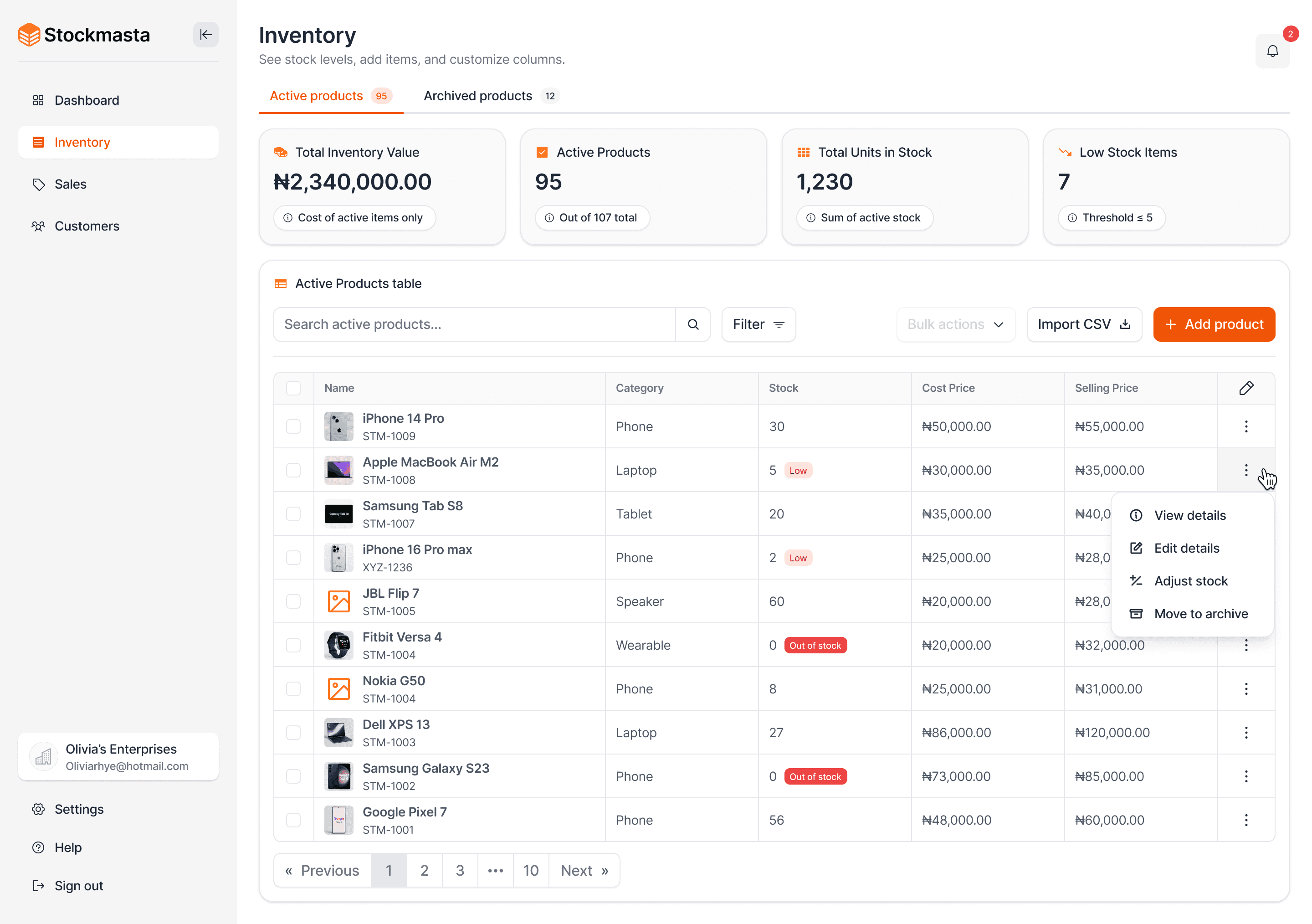
  • Inventory Dashboard: Shows active stock, low stock alerts, and lets users search/filter by custom fields. Products can be archived to declutter the main view.

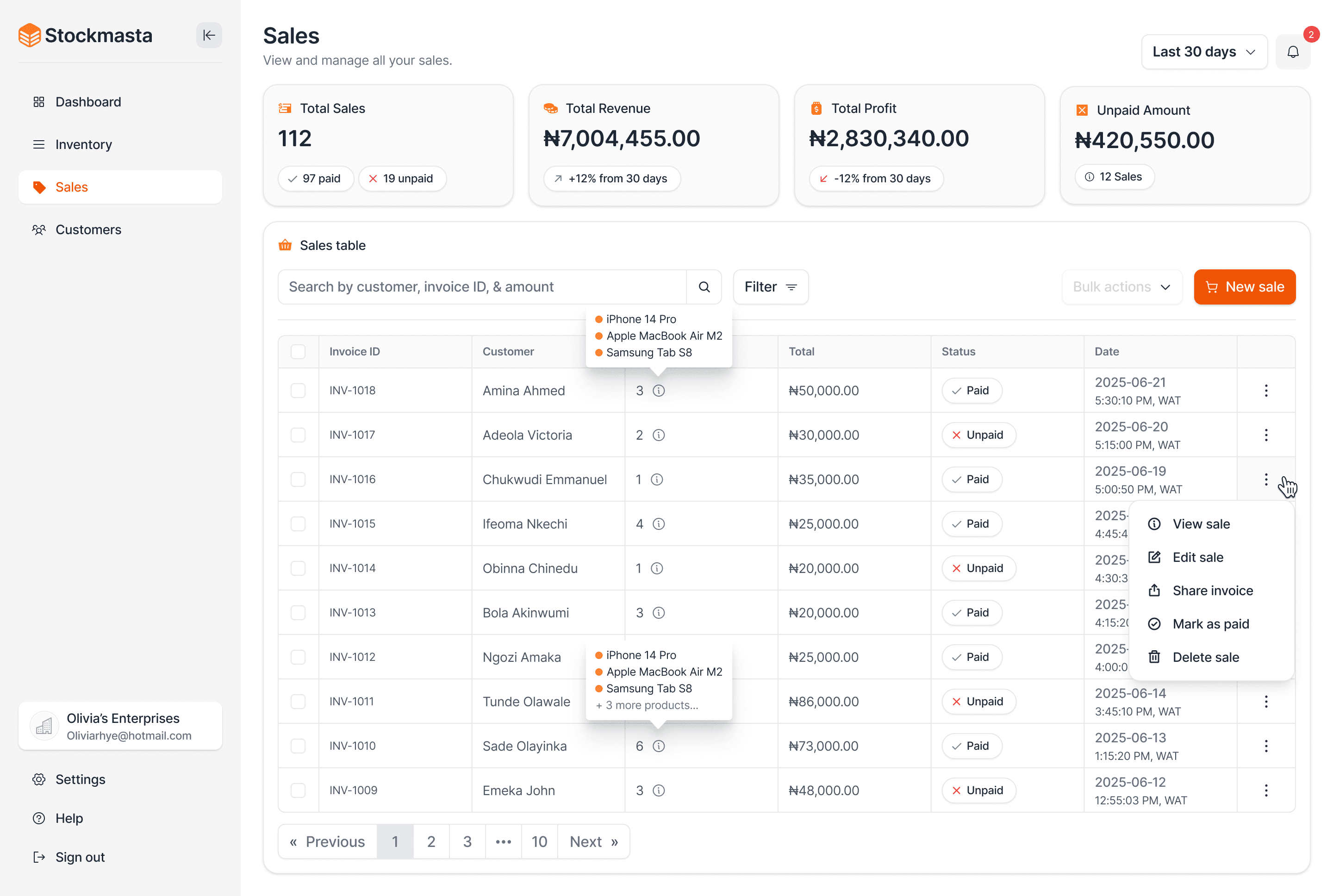
  • Sales Flow: A single “New Sale” flow supports multiple line items, payment status (Paid/Unpaid/Partial), and optional invoice sharing.

  • Invoice: Every sale has an invoice attached. Users can share via WhatsApp/email, download PDF, or just keep it for records.

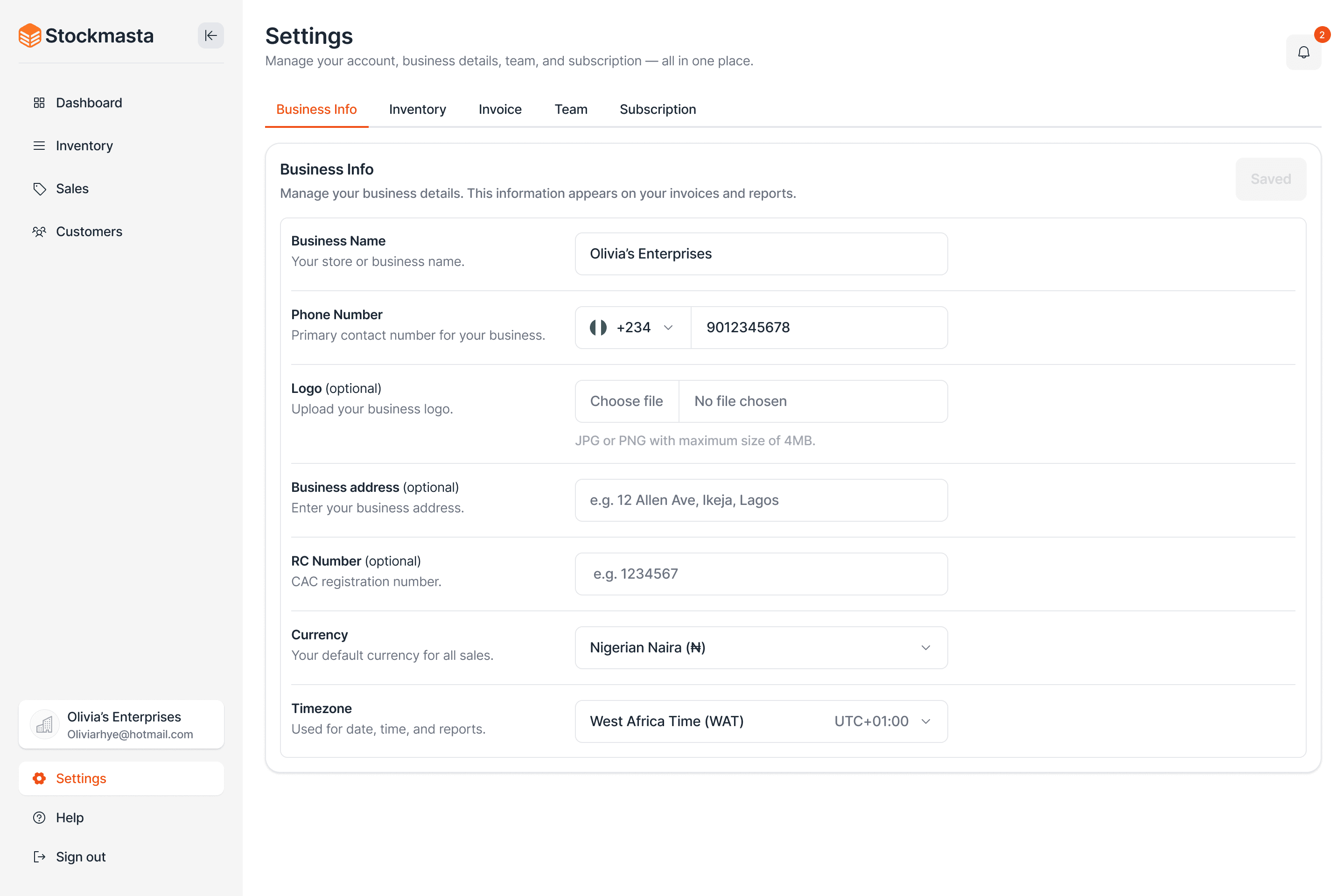
  • Settings: Allows owners to edit business info, set low-stock alerts, customize invoices (branding + payment info), manage subscriptions, and invite staff.

Add Product: A streamlined form with photo, name, category, description, quantity, cost, price, and optional custom fields. A product ID is auto-generated.


  • Inventory Dashboard: Shows active stock, low stock alerts, and lets users search/filter by custom fields. Products can be archived to declutter the main view.

  • Sales Flow: A single “New Sale” flow supports multiple line items, payment status (Paid/Unpaid/Partial), and optional invoice sharing.

  • Invoice: Every sale has an invoice attached. Users can share via WhatsApp/email, download PDF, or just keep it for records.

  • Settings: Allows owners to edit business info, set low-stock alerts, customize invoices (branding + payment info), manage subscriptions, and invite staff.

Add Product: A streamlined form with photo, name, category, description, quantity, cost, price, and optional custom fields. A product ID is auto-generated.


  • Inventory Dashboard: Shows active stock, low stock alerts, and lets users search/filter by custom fields. Products can be archived to declutter the main view.

  • Sales Flow: A single “New Sale” flow supports multiple line items, payment status (Paid/Unpaid/Partial), and optional invoice sharing.

  • Invoice: Every sale has an invoice attached. Users can share via WhatsApp/email, download PDF, or just keep it for records.

  • Settings: Allows owners to edit business info, set low-stock alerts, customize invoices (branding + payment info), manage subscriptions, and invite staff.

By simplifying the process, I designed a system that:


  • Helps vendors avoid stockouts with low-stock alerts.

  • Lets them record sales faster than handwriting receipts.

  • Makes their inventory searchable and customizable.

  • Gives them a professional invoice they can share in one click.


Although this was an MVP, the design showed that even small changes like removing SKUs and adding searchable custom fields significantly improved usability and adoption potential.

By simplifying the process, I designed a system that:


  • Helps vendors avoid stockouts with low-stock alerts.

  • Lets them record sales faster than handwriting receipts.

  • Makes their inventory searchable and customizable.

  • Gives them a professional invoice they can share in one click.


Although this was an MVP, the design showed that even small changes like removing SKUs and adding searchable custom fields significantly improved usability and adoption potential.

By simplifying the process, I designed a system that:


  • Helps vendors avoid stockouts with low-stock alerts.

  • Lets them record sales faster than handwriting receipts.

  • Makes their inventory searchable and customizable.

  • Gives them a professional invoice they can share in one click.


Although this was an MVP, the design showed that even small changes like removing SKUs and adding searchable custom fields significantly improved usability and adoption potential.

Results & Impact

Results & Impact

Results & Impact

Lessons Learned

Less is more. Vendors preferred simplicity over advanced POS features.


  • Customizability is critical. Sellers in different domains have very different needs.

  • Language matters. I used plain, direct copy instead of technical jargon.

  • Every action needs feedback. Success toasts and confirmations gave users confidence in bulk actions and deletions.

Less is more. Vendors preferred simplicity over advanced POS features.


  • Customizability is critical. Sellers in different domains have very different needs.

  • Language matters. I used plain, direct copy instead of technical jargon.

  • Every action needs feedback. Success toasts and confirmations gave users confidence in bulk actions and deletions.

Less is more. Vendors preferred simplicity over advanced POS features.


  • Customizability is critical. Sellers in different domains have very different needs.

  • Language matters. I used plain, direct copy instead of technical jargon.

  • Every action needs feedback. Success toasts and confirmations gave users confidence in bulk actions and deletions.

All Projects

Reach out

Let’s build the next Unicorn 🚀

Get in touch

Reach out

Let’s build the next Unicorn 🚀

Get in touch

Reach out

Let’s build the next Unicorn 🚀

Get in touch

Create a free website with Framer, the website builder loved by startups, designers and agencies.